A visitor from São Paulo lands on your store, sees an English product page and a price in euros, and leaves. Nothing was wrong with the product. The store simply asked them to do the translating and the converting themselves. Store localization removes that friction: the store speaks the visitor's language, shows a price they understand and keeps checkout in words they can trust.
This guide covers how to plan languages and fallbacks, translate a whole store quickly without publishing machine errors, send each visitor to the right version, help search engines index every language, and handle currency and payment methods for international buyers. It uses Store Localization, released in PapelShip's Changelog 7.5, as the worked example.
What is store localization, and how is it different from translation?
Translation converts words. Localization adapts the whole shopping experience to a market. A translated store says "Jetzt kaufen" instead of "Buy now". A localized store also shows the price in a format a German buyer expects, offers payment methods they actually use, makes sure German search results point to German pages and lets them finish checkout without meeting an English screen.
| Layer | What changes | Example |
|---|---|---|
| Language | All visible text | Product copy, buttons, FAQ |
| Region | Spelling, terms and formats | en-GB and en-US, pt-BR and pt-PT |
| Currency | How prices are shown | 29,00 € and $29.00 |
| Payment | Which methods are offered | A local bank transfer in one country |
| Search | Which version is indexed | German searches find German pages |
You don't need to perfect every layer on day one. But knowing all five exist stops the most common mistake, which is translating the homepage and assuming the job is done while checkout, emails from support and search results still speak another language.
How to plan languages, regions and fallbacks
Start with where your buyers already come from. Order history and analytics usually show a few countries beyond your home market that produce real sales or real traffic. Those are your first languages. Adding a language you can't support, with answers to tickets and refund questions, creates expectations you can't meet.
Then decide each language's region and fallback. A region distinguishes variants of one language, such as Brazilian and European Portuguese, or Spanish for Spain and for Mexico. A fallback is the language shown when a piece of text has no translation yet. Without one, a visitor sees an empty button or a raw placeholder; with one, they see a sensible alternative while you catch up. In PapelShip you can add as many languages as you need, each with its own region and fallback language.
- Pick regions deliberately. If most of your Spanish-speaking buyers are in Mexico, write for Mexico rather than Spain. Vocabulary and tone differ more than people expect.
- Set a fallback for every language. A closely related language is best; your main store language is a safe default.
- Keep a list of terms that never change. Your brand, product names, license types, platform names such as Steam, and technical words like HWID usually stay as they are in every language.
How to translate your whole store with AI and keep it accurate
The hard part of localization used to be finding every string. Text hides in section headings, product variants, category names, page titles, announcement bars and meta descriptions, and the one you miss is always on the checkout path. PapelShip puts all of it in one translation table for the whole store: sections, products, categories, pages, announcements and SEO.
- 01
Add a language
With a region and a fallback
- 02
AI Translate
The whole store in one click
- 03
Review by hand
Edit any row in the table
- 04
Publish
New content translated on publish
AI Translate translates your store in one click and shows its progress step by step. It uses your AI credits, the same monthly credits that power the PapelAI Copilot in the store builder. Every translation can then be reviewed and edited by hand, and new content can be translated automatically when you publish, so a product you add next month doesn't appear in English on your Spanish store.
Machine translation makes a strong first draft and a weak final copy. Review in order of risk:
- Checkout and payment text. Confusion here costs sales directly and leads to disputes.
- Product names, variants and what is included. A mistranslated duration, platform or region leads to refunds.
- Refund, delivery and license terms. These carry legal weight, so have a fluent speaker read them.
- Headlines and calls to action. Literal translations of slogans often sound odd. Rewrite them for the market instead.
- SEO titles and descriptions. Use the words people in that market actually search for, which are not always the literal translation.
Region-specific details deserve a second look too. If you sell game keys, the activation region on a product page matters as much as the language it is written in. The Keystone theme shows platform and activation region on every product for exactly this reason: it cuts refunds from buyers who bought a key for the wrong region.
How visitors get the right language automatically
Two signals tell a store which language to show. The first is the browser: every browser sends a list of preferred languages, in order, with each request. The second is the visitor's country, which helps choose between regional variants such as French for France or for Canada.
01Requests a page
Preferred languages and country
02Page in the best match
Fallback fills any missing text
03Switches in the language menu
04Same page, chosen language
On PapelShip, visitors see your store in their language automatically, based on their browser and country, and can switch it from the language menu. The second half matters as much as the first. Detection guesses wrong for travellers, expats, people on a VPN and anyone whose browser is set to a language they don't prefer for shopping.
- Never trap visitors in a language. The language menu should be easy to find on every page, including on a phone.
- Name languages in their own language. "Deutsch" and "Español", not "German" and "Spanish", so people can find their own.
- Avoid flags for languages. Flags stand for countries, while Spanish, Portuguese and English are each spoken in many of them.
Multilingual SEO: help search engines find every language
Search engines need to know that your German product page and your English one are the same page in different languages, not duplicate content, and which one to show to which searcher. The standard way to tell them is hreflang: annotations that connect each language version of a page to the others, often with an x-default version for visitors who match none of them. Getting these by hand across a whole store is tedious and easy to break.
With Store Localization, search engines receive the correct language versions of every page, so you don't maintain those annotations yourself. Your part is the quality of what each version says:
- Translate SEO text, not just the page. Page titles and descriptions are rows in the same translation table. Give them the same review as body copy.
- Use local search terms. Buyers don't always search for the literal translation of your English keyword. Check what people in that market actually type.
- Let language versions do the work, not redirects. Crawlers often visit from one country. Linked language versions and a language menu let every version be found, where forcing visitors by IP would hide some of them.
Currency, payment methods and checkout for international buyers
Language gets a visitor to the product. Price and payment decide whether they buy. Three things matter at this stage.
Show prices in the visitor's currency
PapelShip themes can show prices in each visitor's currency. Payments can be accepted in multiple currencies, with automatic exchange-rate conversion and your store currency as the default. A few habits keep currency display honest and calm:
- Say what will be charged. If a converted price is shown for reference while the charge happens in another currency, say so near the total. Surprises on a bank statement turn into disputes.
- Check how your prices convert. Look at your main products in the currencies of your biggest markets. A price that converts to an awkward number may be worth adjusting at the source.
- Mind tax expectations. Buyers in some regions expect prices to include tax, others expect it to be added at checkout. Check your obligations for each market you sell into.
Offer the payment methods people use locally
Cards and crypto work almost everywhere, and you can read how they combine in card and crypto payments in one checkout. Beyond them, habits vary by country: bank transfer is the norm in some markets, gift cards in others. PapelShip's custom payment methods, for bank transfers, gift cards or a process you define, can be offered in specific countries or set to Global, with the visitor's country detected automatically from their IP. Our guide to bank transfer and gift card payments shows how to set them up.
Keep checkout in the buyer's language
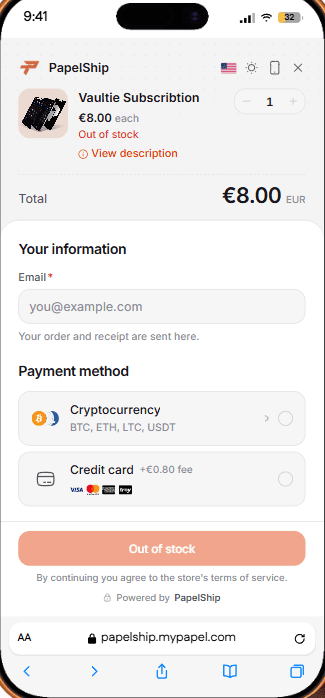
Checkout is where translation gaps hurt most, because a buyer who isn't sure what they are agreeing to simply stops. The redesigned checkout includes its own language picker, so a buyer can change language at the final step, even if they browsed the store in another one.
How to set up Store Localization on PapelShip
- 01
Choose your first languages
Pick the markets where you already see buyers. Add each language with its region and a fallback language.
- 02
Run AI Translate
Translate the whole store in one click and follow its progress step by step. It uses your monthly AI credits.
- 03
Review the translation table
Work through checkout text, products, terms and SEO first, then the rest. Edit any row by hand.
- 04
Translate new content on publish
Let new content be translated automatically when you publish, and review those rows as part of your publishing routine.
- 05
Check the visitor's view
Open the store from a browser set to each language, try the language menu and walk through checkout as a buyer would.
- 06
Listen to each market
Read orders and tickets from each country. Questions that keep coming up usually point to a translation that needs work.
常见问题
Speak your buyer's language from first visit to checkout
International buyers don't need a perfect translation. They need to understand what they are buying, what it costs and what happens after they pay. Pick your markets, translate with AI, review what matters most, and let visitors choose for themselves.
That covers most of the distance between a store that is visited from abroad and one that actually sells there. The rest comes from listening: every ticket from a new market tells you which sentence to fix next.
PapelShip 电商团队
店铺与在线销售