Your complete software commerce stack

Sell software, secure C++ binaries, and understand every customer action with Papelship, qPapel Auth, and qPAnalyzer in one control center.

100K+

Active licenses issued across Papelship storefronts.

C++ ready

Protect native software with qPapel Auth.

Dashboard
Dashboard
Cloud Image
Cloud Image
Cloud Image
BG Image

Built for software teams and digital merchants

  • Client Logo
  • Client Logo
  • Client Logo
  • Client Logo
  • Client Logo
  • Client Logo
  • Client Logo
  • Client Logo
  • Client Logo
  • Client Logo
  • Client Logo
Vector

Built for software, auth, and insight

One control center for every release

Icon

Track orders, revenue, and conversion in real time

Icon

Issue and revoke keys across every product

Icon

Detect suspicious reverse-engineering behavior

Icon

Ship updates without manual fulfillment

Capabilities

Everything inside Papelship

Icon

Global e-commerce

Accept card, crypto, and local payment methods from one storefront.

Icon

Global e-commerce

Accept card, crypto, and local payment methods from one storefront.

Icon

Automated licensing

Issue keys, manage entitlements, and deliver files after payment.

Icon

Automated licensing

Issue keys, manage entitlements, and deliver files after payment.

Icon

qPapel Auth

Protect C++ binaries with validation, encryption, and anti-tamper controls.

Icon

qPapel Auth

Protect C++ binaries with validation, encryption, and anti-tamper controls.

Icon

qPAnalyzer AI

Detect custom reverse-engineering tools and suspicious behavior in real time.

Icon

qPAnalyzer AI

Detect custom reverse-engineering tools and suspicious behavior in real time.

Icon

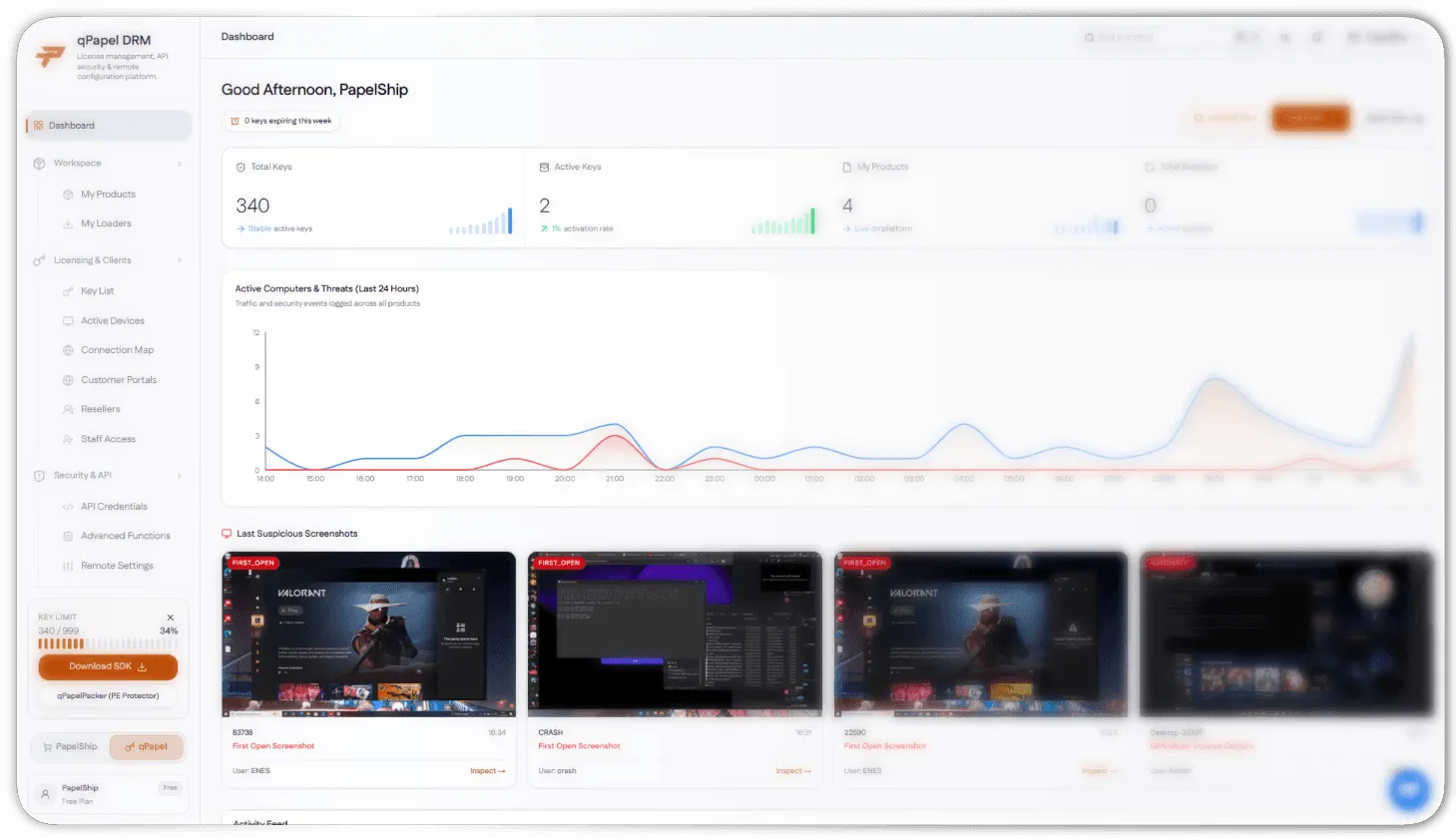
Live operations dashboard

Monitor orders, revenue, licenses, and security events in one panel.

Icon

Live operations dashboard

Monitor orders, revenue, licenses, and security events in one panel.

Icon

Reseller and team workflows

Scale distribution with reseller access, staff panels, and shared controls.

Icon

Reseller and team workflows

Scale distribution with reseller access, staff panels, and shared controls.

BG Image

How Papelship works

From checkout to protected delivery

Connect your store, configure qPapel Auth, and use qPAnalyzer to keep every release visible, secure, and ready to scale.

01

Create your storefront

Add products, pricing, files, and payment rules in one place.

01

Create your storefront

Add products, pricing, files, and payment rules in one place.

02

Protect your C++ build

Connect qPapel Auth to issue secure keys and validate every launch.

02

Protect your C++ build

Connect qPapel Auth to issue secure keys and validate every launch.

03

Learn and optimize

Use qPAnalyzer and the dashboard to catch threats and grow sales.

03

Learn and optimize

Use qPAnalyzer and the dashboard to catch threats and grow sales.

Inside the Papelship control center

Security that sees what others miss

Papelship connects purchase events, license activity, auth signals, and behavioral evidence so your team can act before a threat becomes a support ticket.

Icon

Monitor every order, license, and auth event

Icon

Protect releases with qPapel Auth signals

Icon

Detect custom reverse-engineering tools

Icon

Deliver updates without manual fulfillment
Vector

Integrations

Connect the stack your store already uses

Sync payments, communities, analytics, and secure delivery with a single Papelship workspace.

Icon

Payment gateways

Connect card, crypto, and local payment flows to your storefront.

Icon

qPapel Auth

Sync licensing, product access, and secure launch validation.

Icon

qPAnalyzer

Route detection signals and evidence into your operations view.

Icon

Discord communities

Keep customers, support, and release updates connected.

Icon

Storefront API

Connect your own product flows to Papelship checkout and licensing.

Icon

Secure file delivery

Deliver protected builds and updates after every verified purchase.

PapelShip

Products

Company