Software commerce
How to Sell Software Licenses Online: E-Commerce Auth Guide (2026)
The complete e-commerce auth system guide for software sellers: generate, deliver and validate license keys automatically. Card + crypto checkout, HWID binding, zero manual work.
Selling software is easy to start and hard to run well. The first sale is a payment link and a key pasted into an email. The hundredth sale is a support queue full of lost keys, shared keys, customers on new PCs and refunds you can't match to anything.
This guide is a practical playbook to sell software licenses online in a way that scales: how to model your licenses, how keys should be created and delivered, how your app should check them and how to deal with the inevitable exceptions.
The building blocks of a license business
Every software license sale has the same moving parts. When they are connected, the whole flow runs without you:
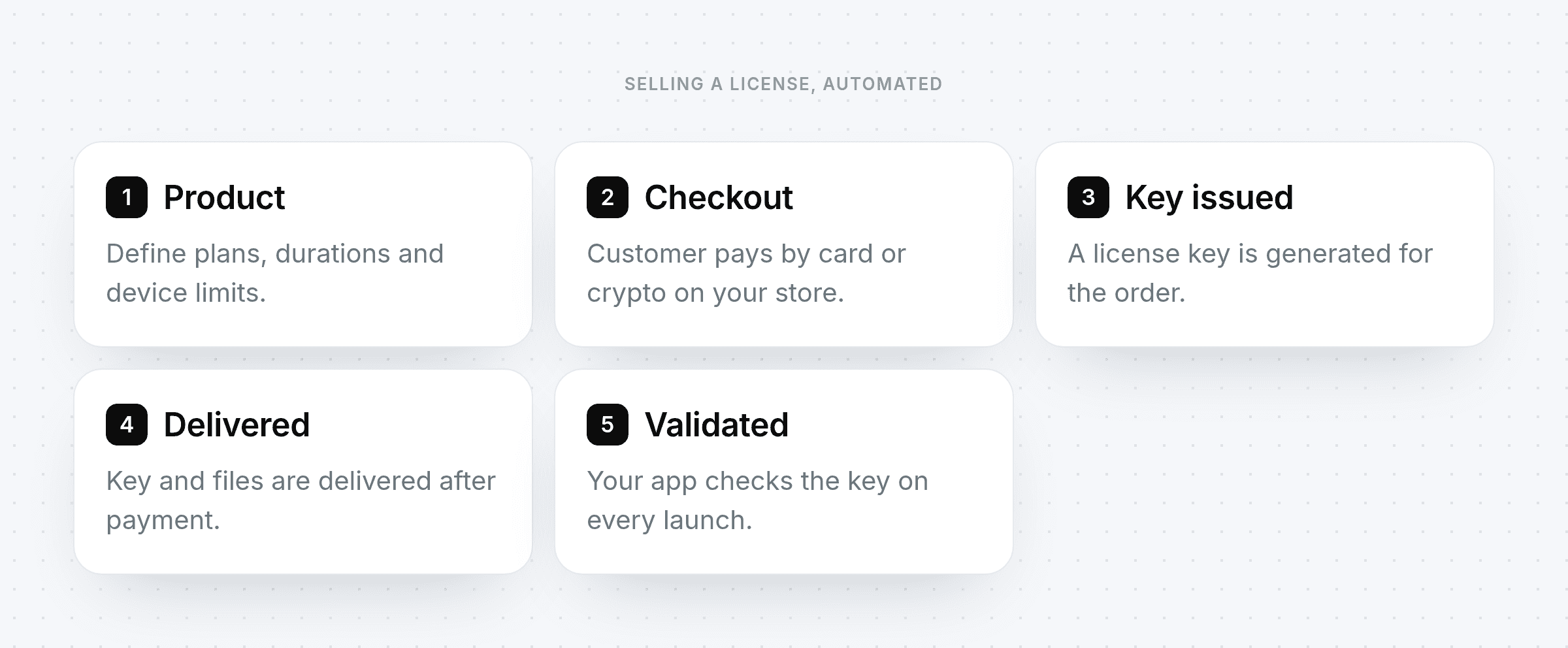
Step 1: choose a licensing model
Your licensing model decides what a key actually grants. The common options:
Model | How it works | Good for |
|---|---|---|
Lifetime | One payment, key never expires | Tools with low ongoing cost |
Time-based | Key valid for 1, 7, 30 or 90 days | Subscriptions without recurring billing |
Tiered | Different products or variants unlock different features | Free, Pro and Team plans |
Device-limited | Key works on a set number of machines | Preventing casual sharing |
Most successful products combine two of these, for example a 30-day Pro key bound to one device.
Step 2: set up your products
Create a product for each thing you sell and a variant for each duration or tier. Attach any files that should be delivered with the purchase, such as an installer or loader. Clear product names matter: they appear on the checkout, the receipt and in your reports.
Step 3: take payment the way your customers want
Software buyers are global. Offer card payments through a gateway such as Stripe, PayTR or iyzico, and crypto for customers without a usable card. You can sell from a storefront on your own domain, from a checkout widget on your existing site or through payment links shared in Discord or Telegram.
Step 4: issue and deliver keys automatically
Manual delivery is the first thing to break as you grow. The moment a payment completes, a key should be generated for that order and delivered on screen and by email, along with any files. The customer gets what they paid for in seconds, even at 3 a.m., and you never copy a key by hand again.
Step 5: validate licenses in your app
Delivery is only half the job. Your software has to check the key every time it starts, and the check has to be trustworthy:
Validate server-side. The decision "is this key valid?" belongs on a server you control, not in a local file.
Bind to the device. Recording a hardware ID on first activation stops one purchase from turning into fifty installs.
Protect the channel. Requests and responses should be encrypted and signed so a fake server can't answer "valid".
Keep secrets off the client. Configuration, strings and files your app needs can be delivered only after a successful check.
qPapel Auth provides these checks for C++ and C# applications, with an encrypted, signed session, HWID binding and server-side variables and files.
Step 6: handle the exceptions
New computer
Customers upgrade hardware. Give them a way to request an HWID reset and approve it quickly. Single and bulk resets keep this to a few clicks.
Shared or leaked keys
When a key shows up on too many devices or in the wrong places, ban it. A banned key stops working at the next check.
Refunds
Refund the payment through the original method and ban or expire the associated key so the license and the money stay in sync.
Resellers
If partners sell for you, give them their own portal to generate keys within limits you set, instead of sending them keys in bulk.
Metrics to watch
Conversion by payment method: tells you whether crypto or a new gateway is worth promoting.
Time to delivery: should be seconds; anything longer generates tickets.
Activations per key: a spike often means sharing.
Reset requests: a steady trickle is normal; a flood points to a problem with your device binding.
qPapel Auth Key management C++ authentication
Frequently asked questions
Do I need a separate store and licensing system?
Not with PapelShip. The storefront, checkout, key generation, delivery and license validation run on the same platform, so there is no webhook bridge between a store and an auth service.
Should I sell lifetime or time-based licenses?
Time-based keys give you recurring revenue and an easy way to end access; lifetime keys sell more easily. Many sellers offer both and let price do the persuading.
How do I stop customers sharing keys?
Bind each key to a device on first use, validate it server-side on every launch and ban keys that are abused.
Can I deliver files with the license?
Yes. Files attached to a product are delivered after payment, and sensitive files can be served only to authenticated licenses.
Start selling your software
A license business runs on automation: payment, key, delivery and validation connected end to end. Set it up once and every sale after that takes care of itself.


