Software licensing
Migrate From KeyAuth: The Complete C++ & C# Migration Playbook (2026)
Switch from KeyAuth to PapelShip without downtime. Export keys, swap SDKs, move secrets server-side and gain enterprise DRM, built-in checkout and qPAnalyzer runtime protection.
Switching licensing providers sounds risky: customers have working keys, your app is wired to one SDK and nobody wants a weekend of "my key stopped working" tickets. Done with a plan, a KeyAuth migration is a smooth cutover — and the destination is a materially stronger DRM stack.
This guide is for C++ and C# developers who want to migrate from KeyAuth to PapelShip. It covers why teams move, how to bring your existing keys and users across, how to swap the SDK, where to move your secrets, and how to cut over without locking out paying customers.
Why teams migrate
Teams usually move for one of four reasons, often all four:
Fragmented stack. A licensing API on one side, a third-party store on the other, webhooks in between. Every outage in the bridge produces stuck deliveries and support tickets.
Weak transport security. They want a cryptographically protected session — X25519 key exchange, AES-256-GCM encrypted transport, Ed25519 response signatures — so Fiddler, Burp and mitmproxy cannot read or forge their traffic.
Secrets still in the binary. They want API keys, premium modules and feature flags delivered from the server only after a successful license check, not shipped inside the binary.
No runtime visibility. They want to see which debuggers, memory tools and renamed analysis utilities run next to their software, not just answer "is the key valid?".
PapelShip combines licensing (qPapel Auth), a storefront with card, crypto and bank-transfer checkout, and runtime threat analysis (qPAnalyzer) in one platform.
Bringing your KeyAuth data across
You do not have to lose your existing customers. PapelShip support will help you migrate your active keys and users from KeyAuth — send a message before you start the migration and we will walk through the import together. You keep the active licenses with their remaining time, and customers never lose access.
Information to prepare:
Item | What to collect |
|---|---|
Active keys and users | Export from KeyAuth with expiry per key |
Products and durations | Every plan you sell and how long each key lasts |
Server-side variables / files | Anything your app currently fetches from the auth service |
SDK integration points | Where in your code you init, login, check and fetch |
Sales channel | Where customers buy today, and how keys reach them |
The five migration steps
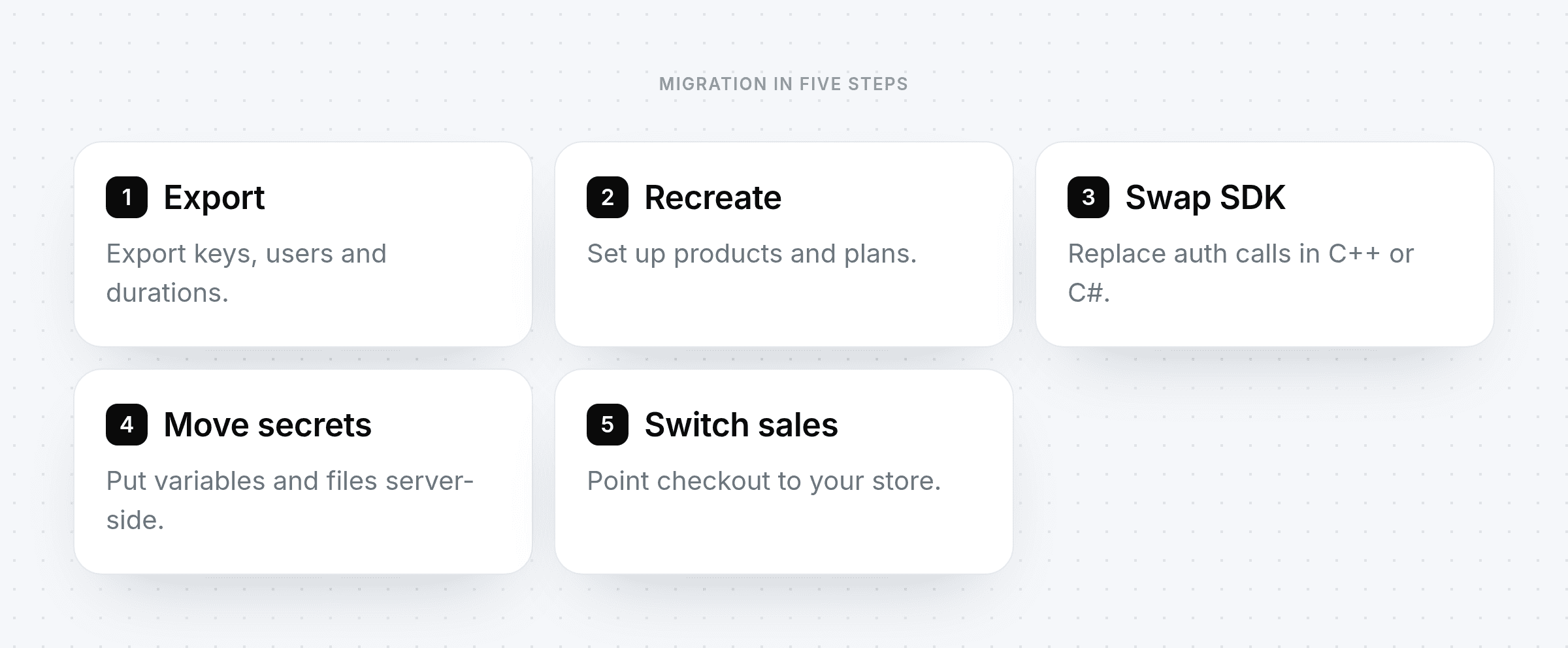
1. Export your data
Export your active licenses and users from the KeyAuth dashboard or API. At minimum you need each active key's product and expiry. If you want help bringing the export into PapelShip, open a support ticket before you start — we will coordinate the import so no customer loses time on their license.
2. Recreate products and durations
In PapelShip, create a product per plan and a variant per duration. Mirroring your current structure keeps pricing and customer expectations unchanged.
3. Swap the SDK calls
Replace the old auth calls with the qPapel Auth SDK for C++ or C#. The session model is clean: start a session (the SDK performs an X25519 key exchange), authenticate the license key for this device, fetch what your app needs over the encrypted and Ed25519-signed channel, and keep the session alive with a heartbeat. Keep old and new code paths separate so you can ship a clean build.
4. Move secrets server-side
This is the step that pays for the migration. Anything sensitive in your binary today — API keys, configuration, offsets, premium modules — moves to server-side variables, strings and encrypted files that are delivered only after authentication. Files are stored encrypted at rest on the server with PBKDF2-SHA512 and streamed in chunks.
5. Switch sales and delivery
Point your checkout to your PapelShip storefront, embedded widget or payment links. Card, crypto and bank-transfer payment, key generation and delivery now happen in one place, with no webhook bridge.
Cutting over without downtime
Freeze new sales on KeyAuth for a short window.
Import active licenses into PapelShip with the same remaining time (support will coordinate this).
Release the new build that authenticates against PapelShip.
Tell customers what changes. Usually just downloading the new version; if keys change, communicate the new key explicitly.
Keep the old service running briefly for anyone who hasn't updated, then retire it.
After the move: turn on the stack
HWID binding and resets to stop key sharing and handle legitimate hardware changes.
Process and window-title blacklists for known reverse-engineering tools (x64dbg, IDA, dnSpy, Cheat Engine, Fiddler, Burp, etc.).
qPAnalyzer to catch renamed and private tools through its four-layer AI classification pipeline, with automatic ban enforcement and an encrypted
.qpvaultthreat vault.Reseller portal if partners sell for you, with per-product permissions and debt limits.
Discord integration if your community lives there.
What you gain, feature by feature
Capability | With PapelShip |
|---|---|
Transport security | X25519 + AES-256-GCM + Ed25519 |
Server-side encrypted files | PBKDF2-SHA512, chunk-streamed after auth |
HWID binding | Single and bulk reset flows |
Runtime threat analysis | qPAnalyzer four-layer pipeline with AI classification |
Store, checkout and delivery | Built-in; card, crypto and bank transfer |
Reseller program | Portal, pricing, debt limits |
Operations | One dashboard for everything |
PapelShip vs KeyAuth KeyAuth alternatives C++ authentication
Frequently asked questions
Will my customers need new keys?
With help from support, active licenses can be imported into PapelShip with the same remaining time, so most customers keep working without noticing the change.
How long does a migration take?
For a single product with a clean codebase, the code change is often a day's work. Most of the total time is testing and customer communication.
Do I have to move my store at the same time?
No, but it is where most of the benefit lives. Moving checkout removes the store-to-auth bridge that causes delivery failures.
Which languages are supported?
qPapel Auth provides native SDKs for C++ and C#.
Plan your migration
A KeyAuth migration is five focused steps: inventory, products, SDK, secrets and checkout. With support's help on the data import, customers barely notice anything except faster delivery and a materially stronger DRM stack behind it.


